Apps and Skills · 6 min read · Updated 2026-09-08
Improve an existing Skill: make weekly reports shorter and clearer
Adjust rules, save changes, and compare using the same materials.
Feature overview
Is your weekly report still too long, with key points buried in paragraphs? Update the Skill’s reusable rules so future reports follow the new requirements. Asking AI to shorten only the current report does not update the skill.
This guide uses a fictional event-preparation report to demonstrate identify issues → adjust rules → save → recheck the same materials. It suits skills you created and can edit.
How to use it
1. Prepare the original skill and test materials
On the left in TabTin, open Tasks → App Center → Manage → Skills and verify the skill name. Prepare the original creation conversation, skill file, or directory so Skill Creator knows which to edit. “Change the weekly report” alone may only change this output.
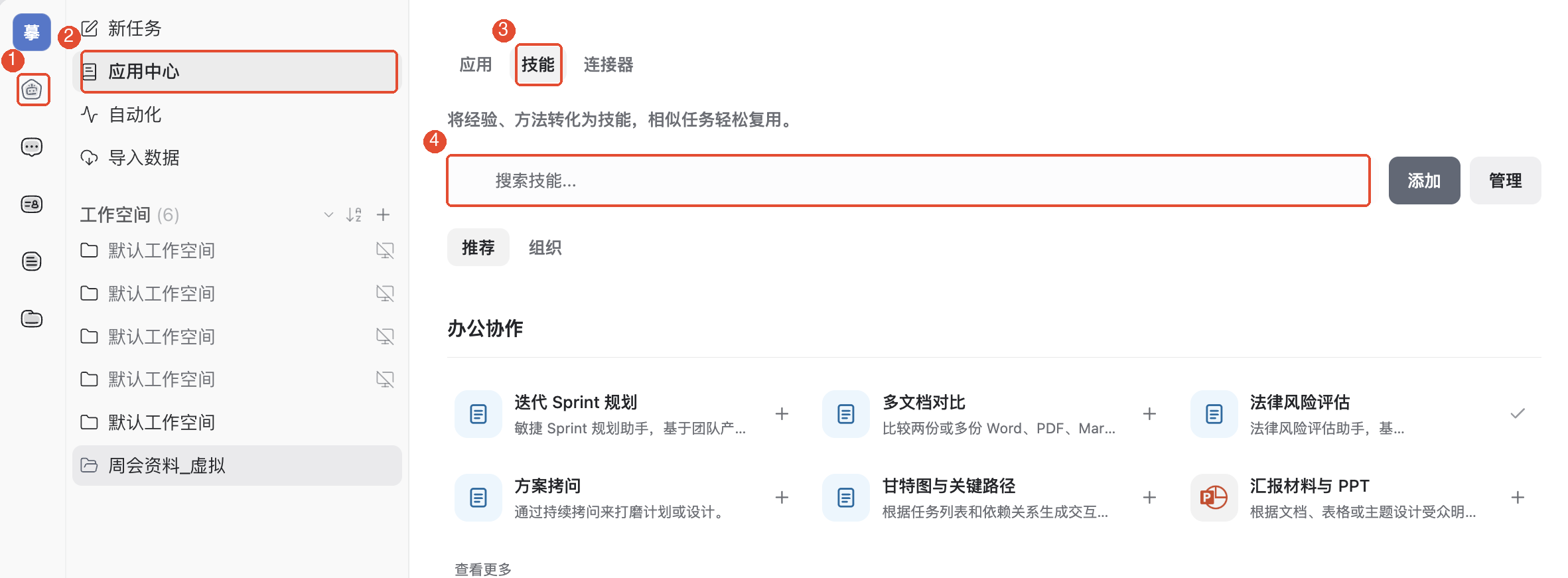
This example assumes you created a Weekly report organization skill. If not, first read Turn a familiar working method into a Skill. Use the same materials below before and after the change:
The event registration page launched this week and received 120 registrations. The poster’s first draft is complete, but the venue has not confirmed booth dimensions, so it cannot be finalized. Chen will follow up on dimensions; no deadline is set. Next week Lin will organize the registration list, and Chen will revise the poster after dimensions are confirmed. A prize draw was suggested at the meeting but remains undecided.
Run the original skill once and keep its output. Identify specific issues, such as “Too much introduction; the poster blocker is not prominent; progress is repeated.”
2. Open Skill Creator and specify changes
Click New task and type in the input box: /skill-creator and choose from the candidates: Skill Creator. Provide the skill file from step 1 or an accessible directory, along with the source materials and unsatisfactory output.
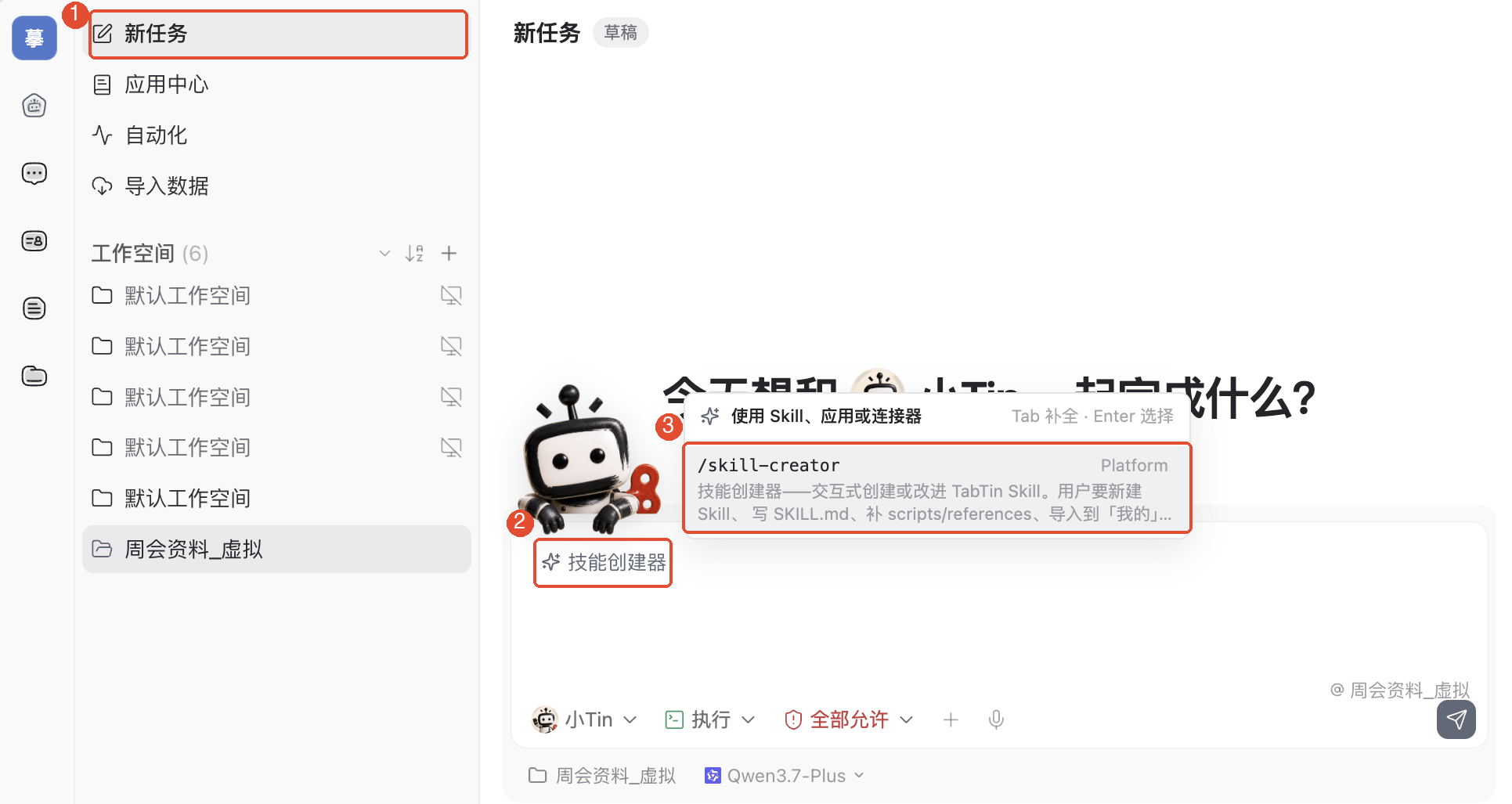
You can copy this request:
Improve the provided “Weekly report organization” Skill. Keep its factual verification requirements. Change output rules to: conclusions first, then unresolved issues and next week’s actions; body text no longer than 500 Chinese characters and at most three points per section; remove polite introductions and repeated progress. Unresolved issues must state impact, owner, and what needs confirmation. Mark missing information Pending confirmation; do not invent dates or turn suggestions into decisions. Aim for no more than one formatted page. Show the revised rules and change notes first, then save to this skill after confirmation.
One page depends on paper, fonts, and line spacing. The 500-character limit is easy to check; when delivering a document, inspect the actual pages as well.
3. Review rules and save to the original skill
Check that the response changes lasting rules rather than embedding this week’s facts, such as 120 registrations. Verify four requirements: conclusions first, length limits, prominent blockers, and handling missing information.
Once confirmed, say: “Save to the skill I provided, retain the previous version, and tell me which file changed.” Follow save or import instructions. If only a draft is returned, finish saving. If editing fails, check file access and edit permissions first.
4. Recheck the same materials in a new task
Create a task, select the configured persona, and type / to find and select the updated skill. Paste the same step-1 materials. Only ask “Generate the report using the weekly report organization skill,” without repeating new rules, so you can assess whether they took effect.
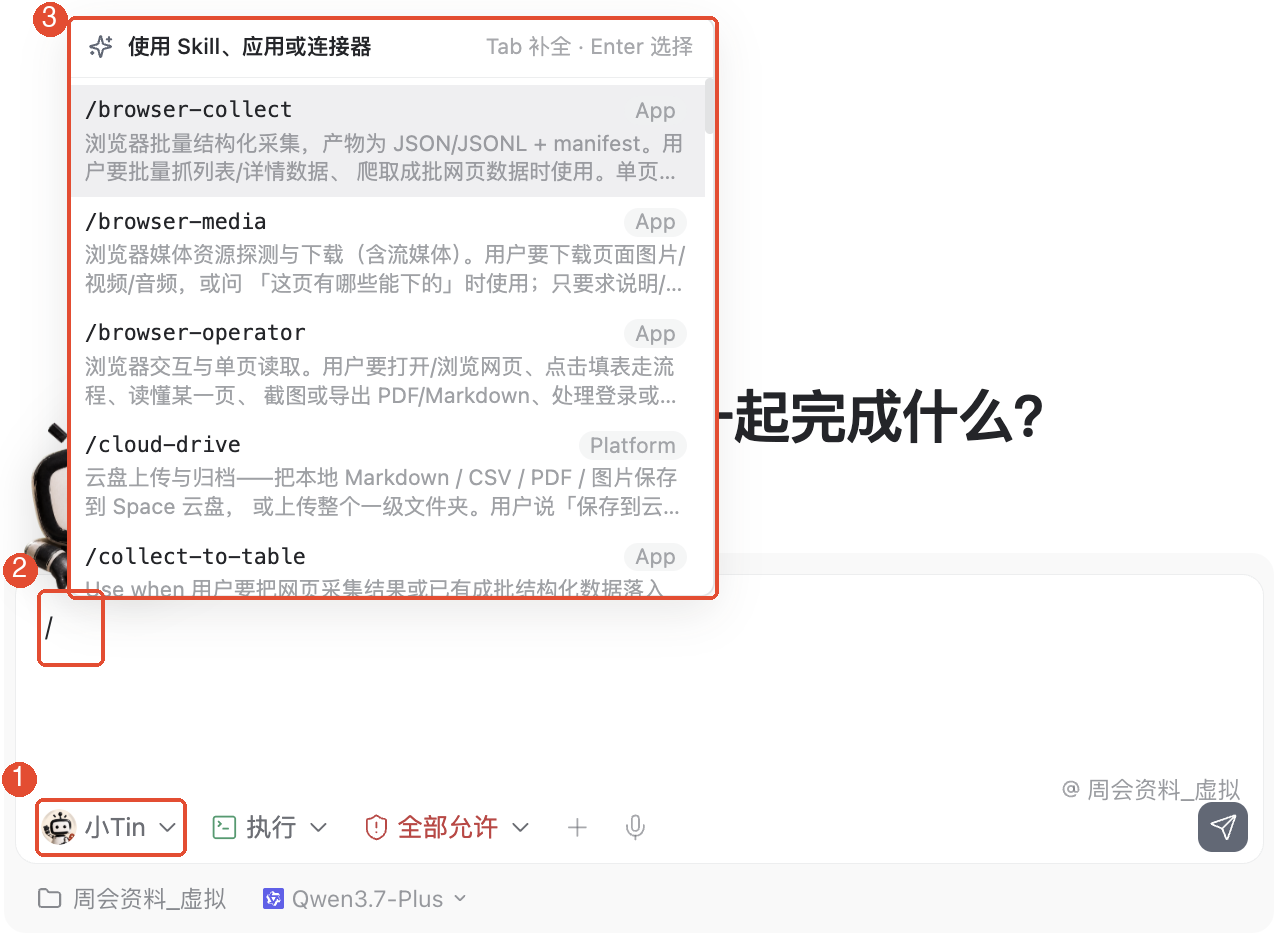
This target-format example is for comparison, not an actual client execution result:
This week’s conclusions: Registration is live with 120 sign-ups. The poster cannot be finalized until booth dimensions are confirmed.
Unresolved issues: Chen must confirm booth dimensions; deadline pending confirmation. Dimensions block poster finalization. Whether to add a prize draw is undecided.
Next week’s actions: Lin organizes the registration list; Chen revises the poster once dimensions are confirmed. Both deadlines are pending confirmation.
Check that conclusions come first, 120 registrations is accurate, the poster blocker is clear, unknown dates remain Pending confirmation, and the prize draw remains undecided. Finally check length; for a one-page document, open the actual file and inspect page count.
5. Adjust one issue and recheck
If still too long, tighten point counts or remove duplicate rules. If too short and missing blockers, add “Do not omit unresolved issues affecting next week’s plan.” Describe specific issues, save, and recheck the same materials. Once it passes, test new materials to ensure it generalizes.
Other common features
Keep the previous version
Back up the original skill or ask the creator to save a separate improved version. If the new version omits important content, restore by comparing original rules. Name both versions distinctly to avoid testing the wrong one.
Distinguish one-off requests from lasting rules
“Keep this week’s report to 200 Chinese characters for my manager” can stay in the task. “Always put conclusions first in weekly reports” belongs in the Skill.
Things to keep in mind
- Confirm the filename and skill name first. For someone else’s uneditable skill, create your own version based on its method within permitted use.
- Shortening must not alter facts. Verify numbers, blockers, and unconfirmed items individually.
- Skill configuration does not grant file access. If the creator cannot read the skill, provide an accessible file or directory.
FAQ
Why does a new task still use the old format?
Check whether only the chat output changed, whether new rules were saved or imported, and whether the new task selected the right persona and skill version.
Why recheck using the same materials?
Changing materials and rules together makes the cause of any difference unclear. Compare the same materials first, then test generality with new ones.
Does fewer than 500 Chinese characters guarantee one page?
No. Tables, headings, and line spacing affect page count. Check the actual delivered file.